
How to Withdraw Cryptocurrency from Binance TH

How do I withdraw Crypto on BINANCE TH Website and Application?
On Website
1. Log into your BINANCE account and click [Wallet] - [Withdraw] on the website, then click [Crypto Withdraw].
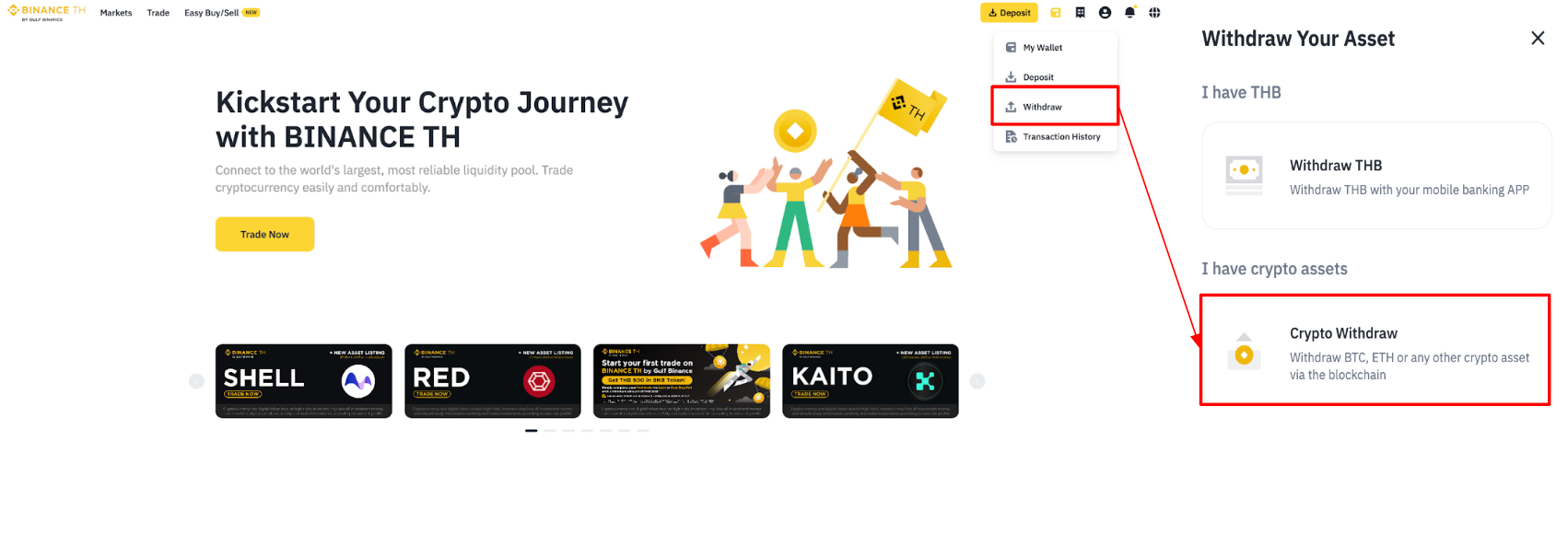
2. Select the cryptocurrency you want to withdraw, for example, USDT.
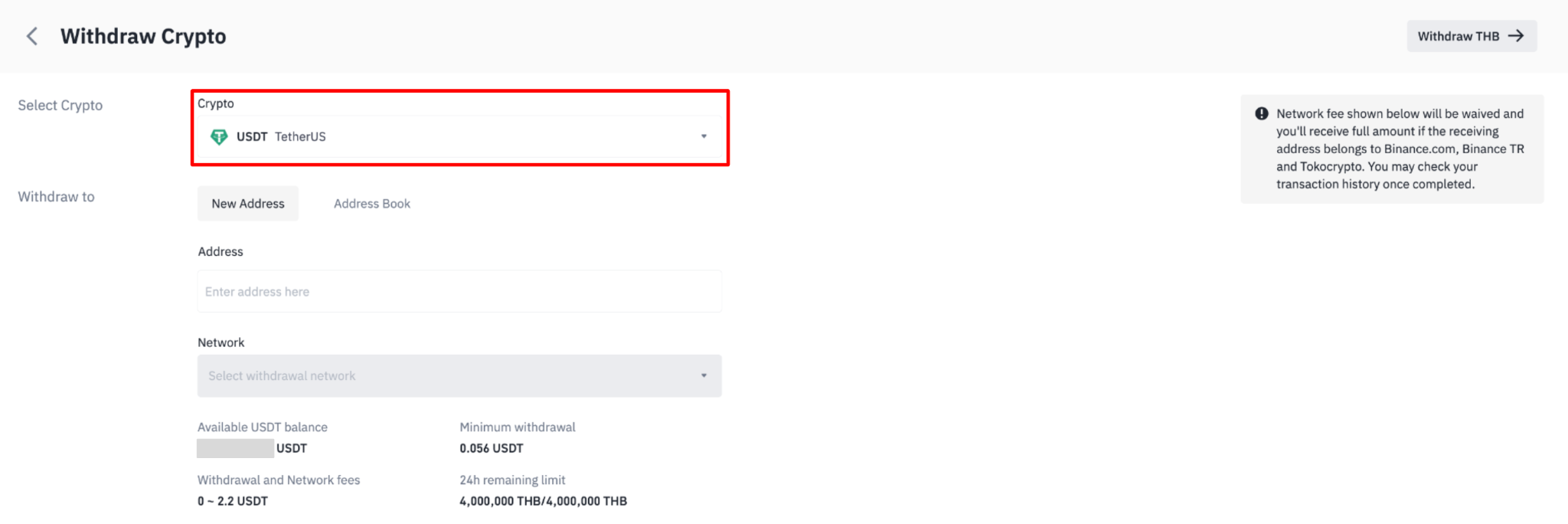
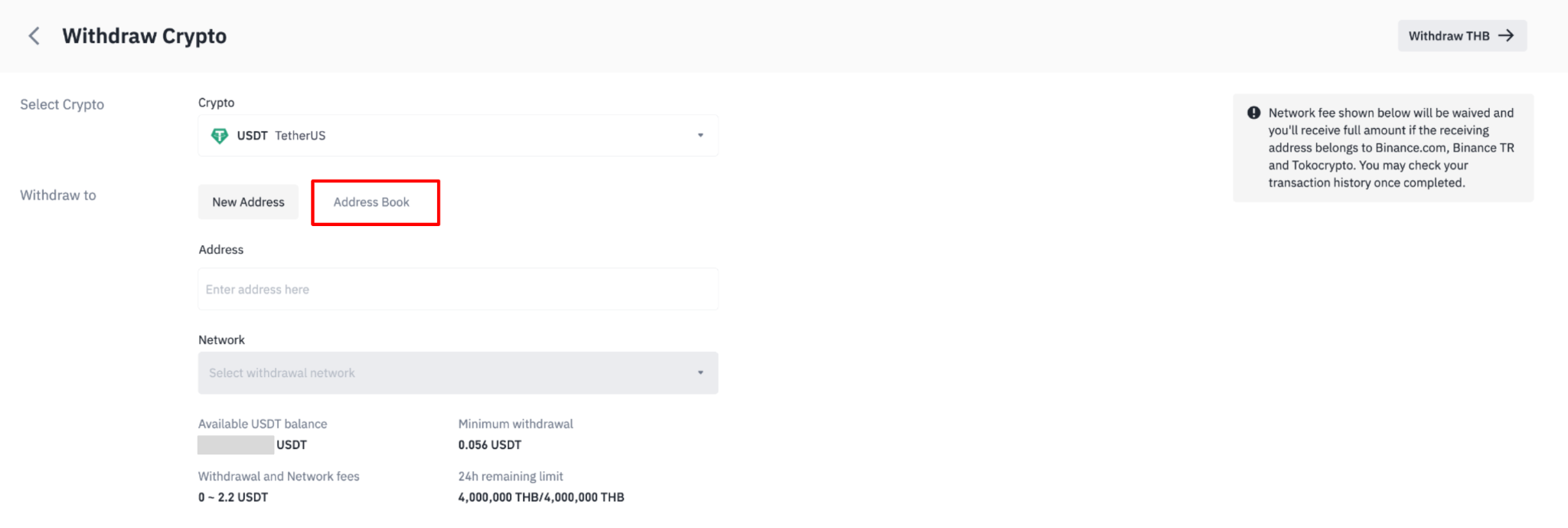
3. Paste the recipient address, or select a saved address by clicking the [address book] icon.
Note: To add a new withdrawal address to your address book, check out the Frequently Asked Question section of this article, Click.
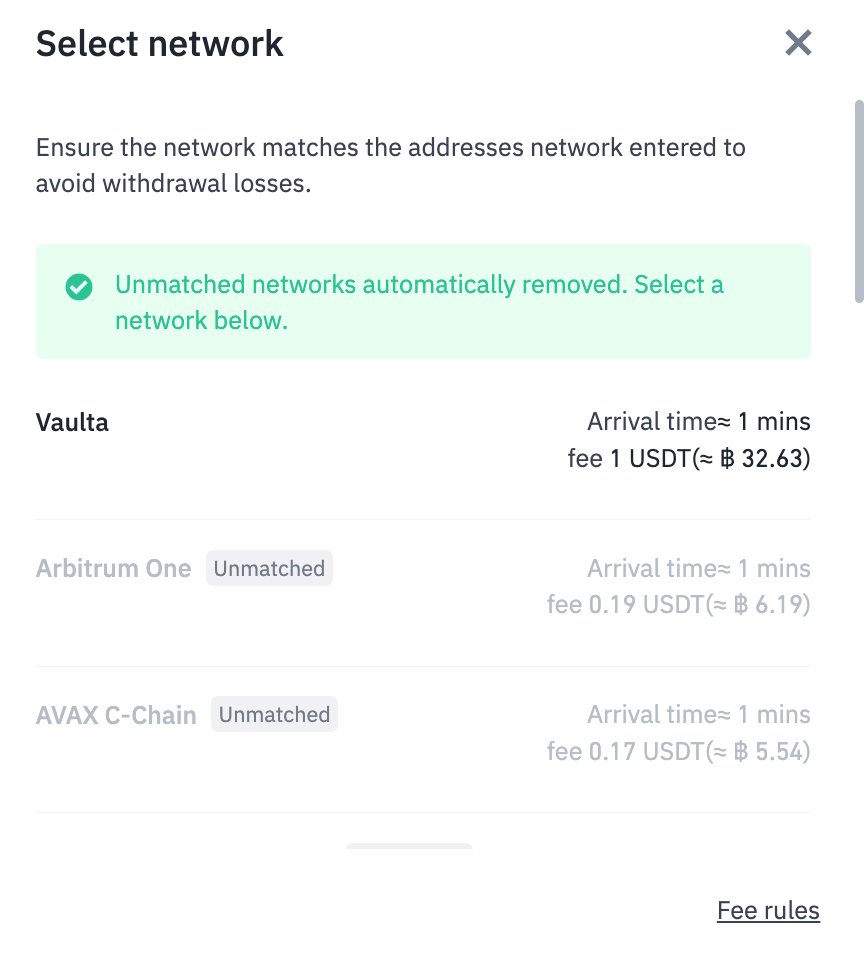
4. Select the network. Depending on the crypto you choose, you will see the corresponding supported networks and network fees for this transaction. Please make sure that the network matches the address entered. If you select the wrong network, your funds might be lost and couldn’t be recovered.
5. Enter the withdrawal amount. You may choose to use the balance from your Spot Wallet by clicking [MAX]. You will see the transaction fee and the final amount you will receive. Click [Withdraw] to proceed.
Note: You will see your remaining crypto withdrawal limit within 24 hours. If you would like to increase it, you can read more about the required steps and documents to submit [here].
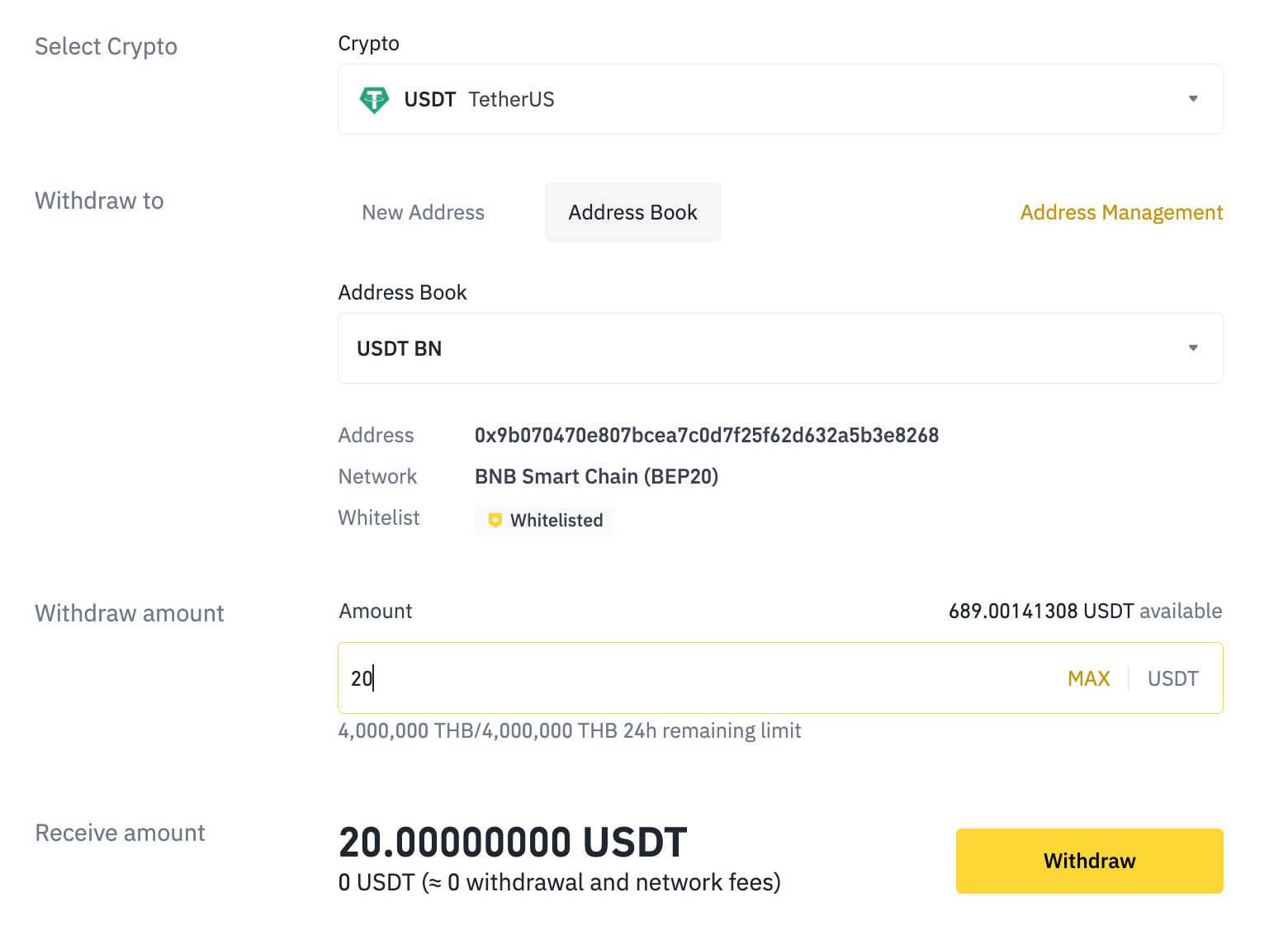
6. You will be prompted to confirm the selected network again. Click [Continue] if the receiving platform supports the network.
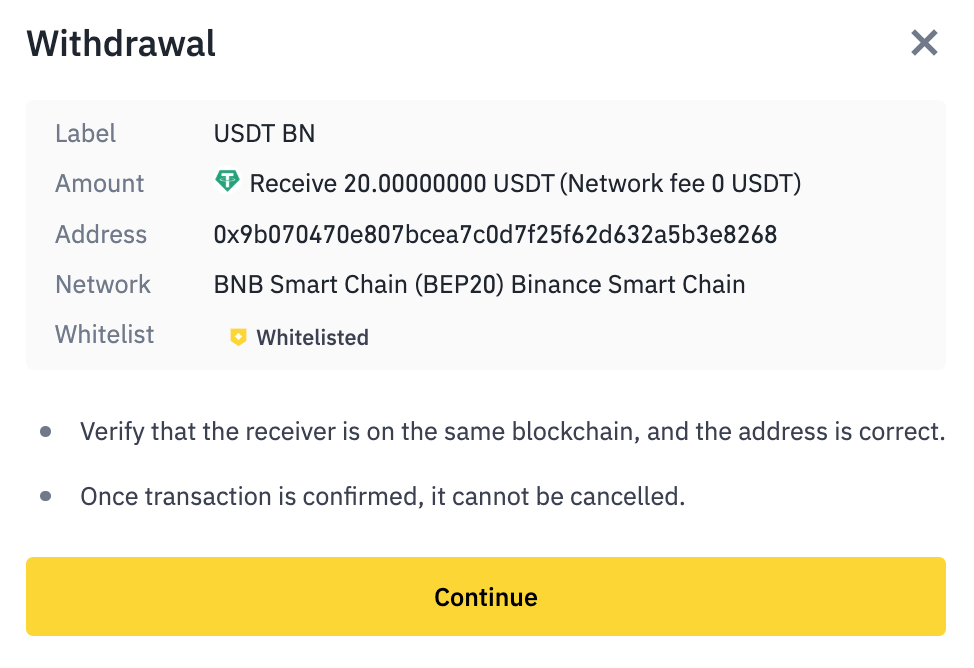
7. Check the withdrawal details carefully. Click [Continue] and verify the transaction with your 2FA devices.
8. For security purposes, if your total coin withdrawals within a 24-hour period reach a certain threshold, you will be required to complete identity verification through a facial scan before proceeding. [Updated as of July 9, 2025]
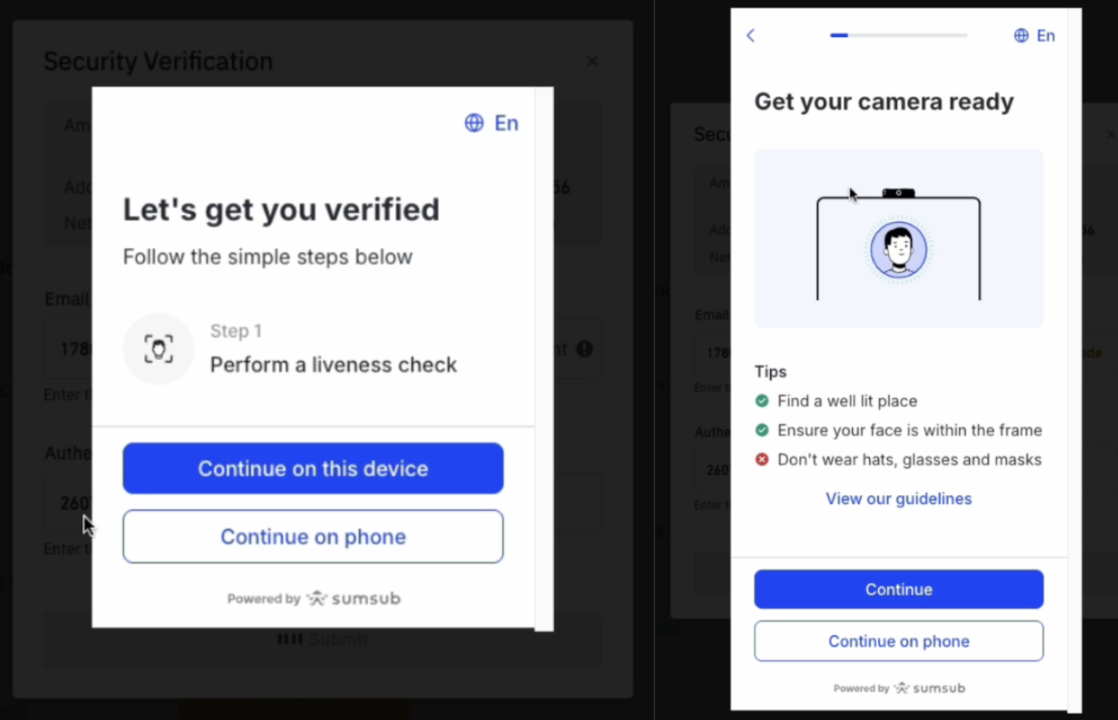
9. Your withdrawal request has been submitted. After confirming your request on BINANCE TH, it takes time for the transaction to be confirmed on the blockchain. The confirmation time varies depending on the blockchain and its network traffic. Please wait patiently for the transfer to be processed.
On Application
1. Log into your BINANCE account and click [Withdraw] menu at the home page of Application.
2. Choose the cryptocurrency you want to withdraw from your remaining balance in the wallet.
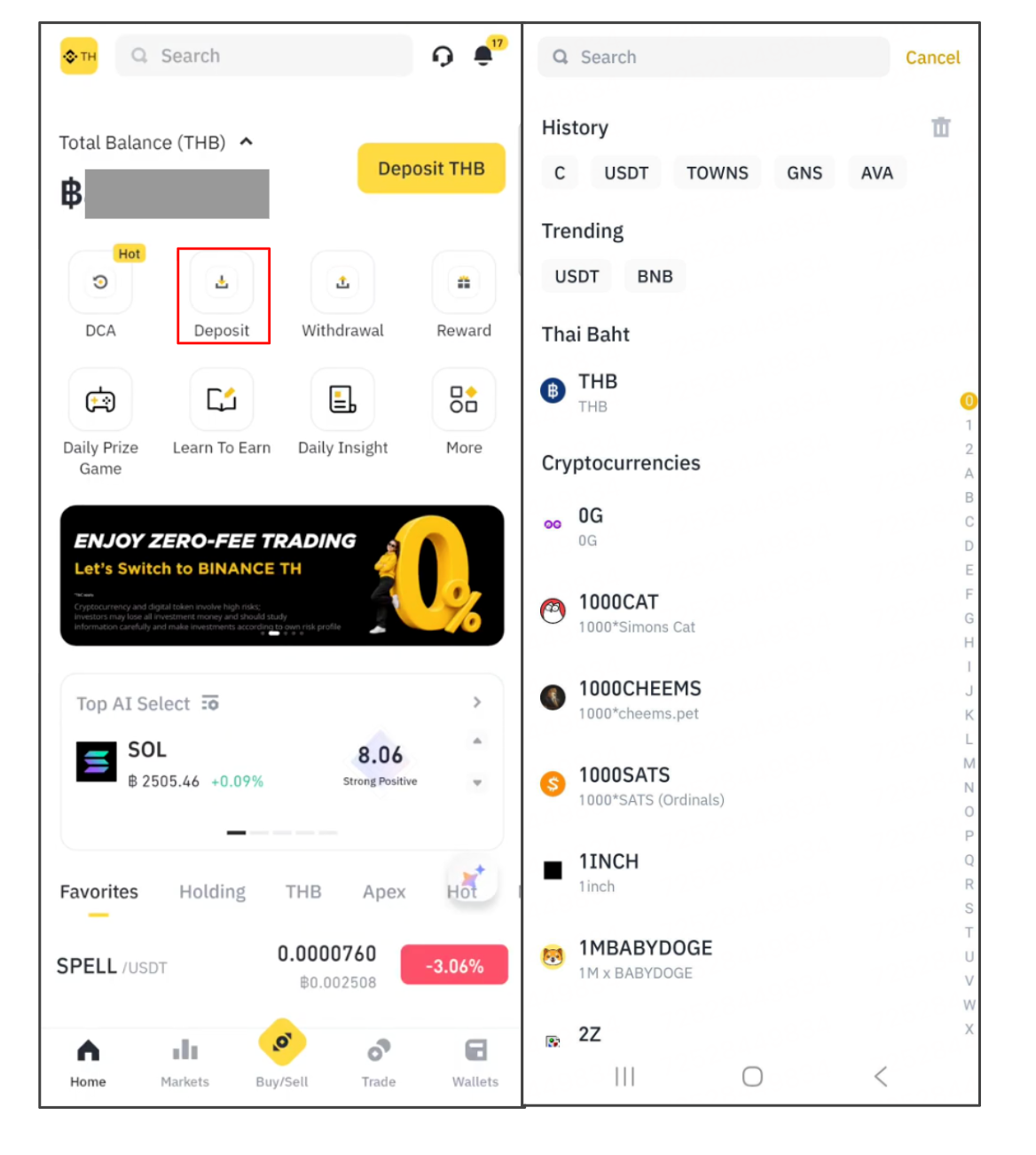
3. Paste the recipient address, or select a saved address by clicking the [address book] icon.
Note: To add a new withdrawal address to your address book, check out the Frequently Asked Question section of this article, Click.
4. Select the network. Depending on the crypto you choose, you will see the corresponding supported networks and network fees for this transaction. Please make sure that the network matches the address entered. If you select the wrong network, your funds might be lost and couldn’t be recovered.
5. Enter the withdrawal amount. You may choose to use the balance from your Spot Wallet by clicking [MAX]. You will see the transaction fee and the final amount you will receive. Click [Withdraw] to proceed.
Note: You will see your remaining crypto withdrawal limit within 24 hours. If you would like to increase it, you can read more about the required steps and documents to submit [here].
6. You will be prompted to confirm the selected network again. Click [Confirm], if the receiving platform supports the network.
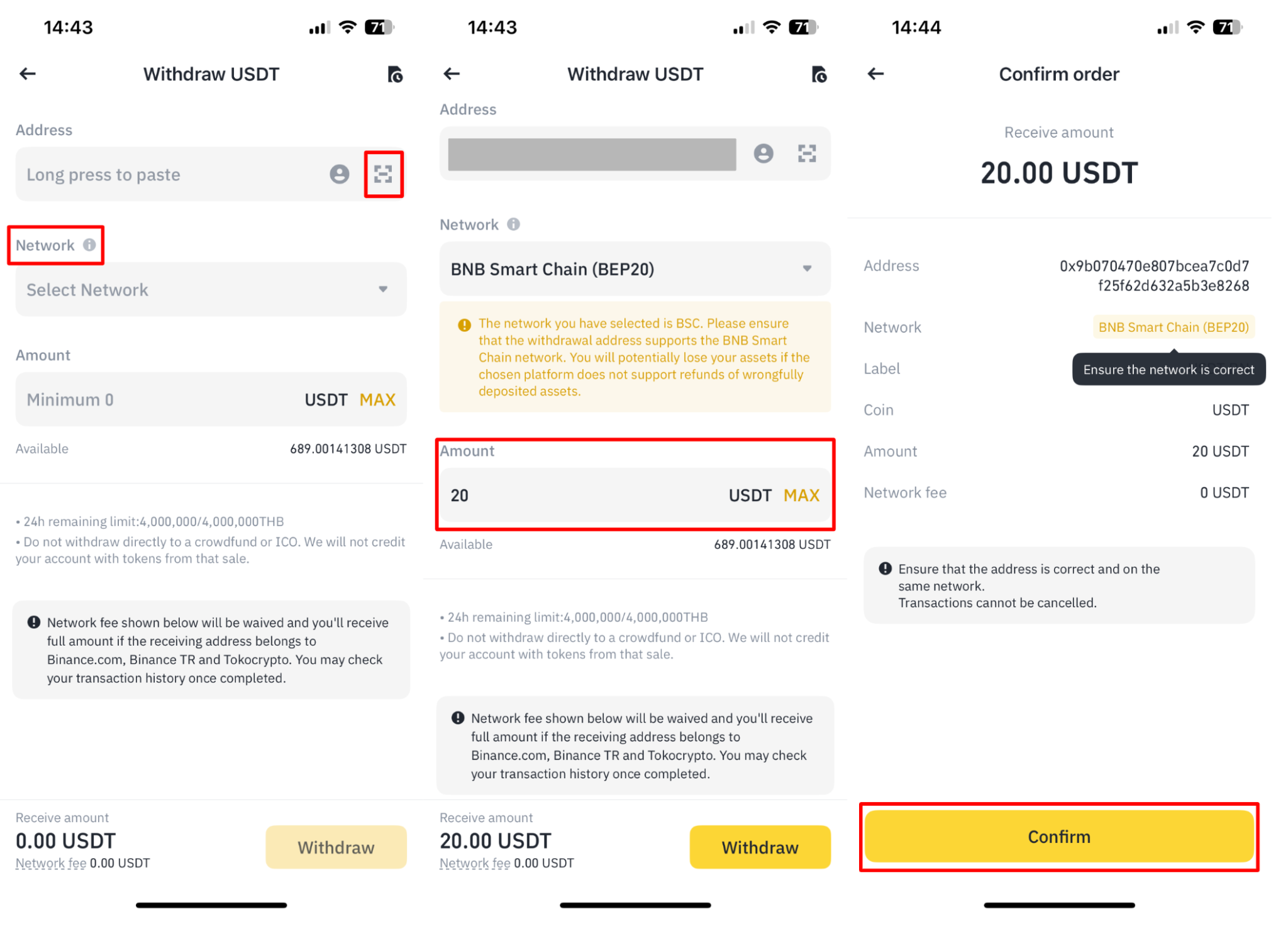
7. Check the withdrawal details carefully. Click [Continue] and verify the transaction with your 2FA devices.
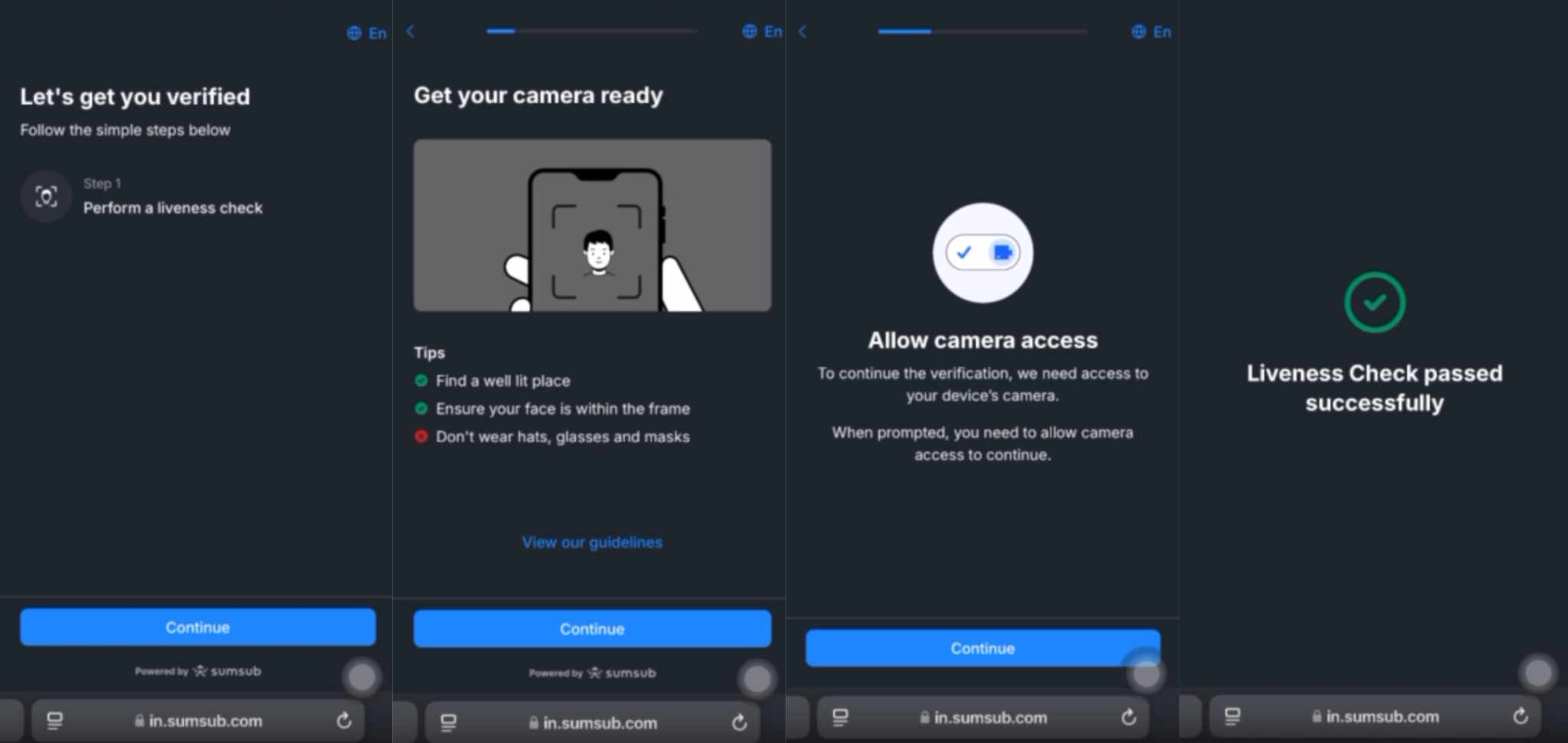
8. For security purposes, if your total coin withdrawals within a 24-hour period reach a certain threshold, you will be required to complete identity verification through a facial scan before proceeding. [Updated as of July 9, 2025]
9. Your withdrawal request has been submitted. After confirming your request on BINANCE TH, it takes time for the transaction to be confirmed on the blockchain. The confirmation time varies depending on the blockchain and its network traffic. Please wait patiently for the transfer to be processed.